Tiktok Story Downloader
Free TikTok Story Downloader - No watermark, HD quality, Easy to use
What Is a TikTok Story Downloader?
TikTok Stories are short video or photo that stay available for 24 hours. People use them to share daily moment, quick updates, announcements, behind the scene clips, and other temporary content. Unlike regular TikTok posts, Stories disappear after 24 hour.
Sometime, you may want to save a Story before it disappears. Keeping a copy make it easy to revisit memorable moments, watch videos again, or keep interesting content for personal use. This is especially helpful when you want to save something worth watching later.
TokDL.app make downloading supported TikTok Stories simple and convenient. You can save your own upload, keep campaign content, or download memorable Stories shared by others. Everything work directly in your browser without installing a separate app or creating an account.
Simply copy the TikTok Story link, paste it into TokDL.app, and click Download. You can then choose the available download option to save the Story to your device. This make it easy to keep Stories and watch them again whenever you want.
How to Download a TikTok Story
Find the TikTok Story
Open TikTok and find the Story you want to save. Tap the Share button and select Copy link to copy its URL.

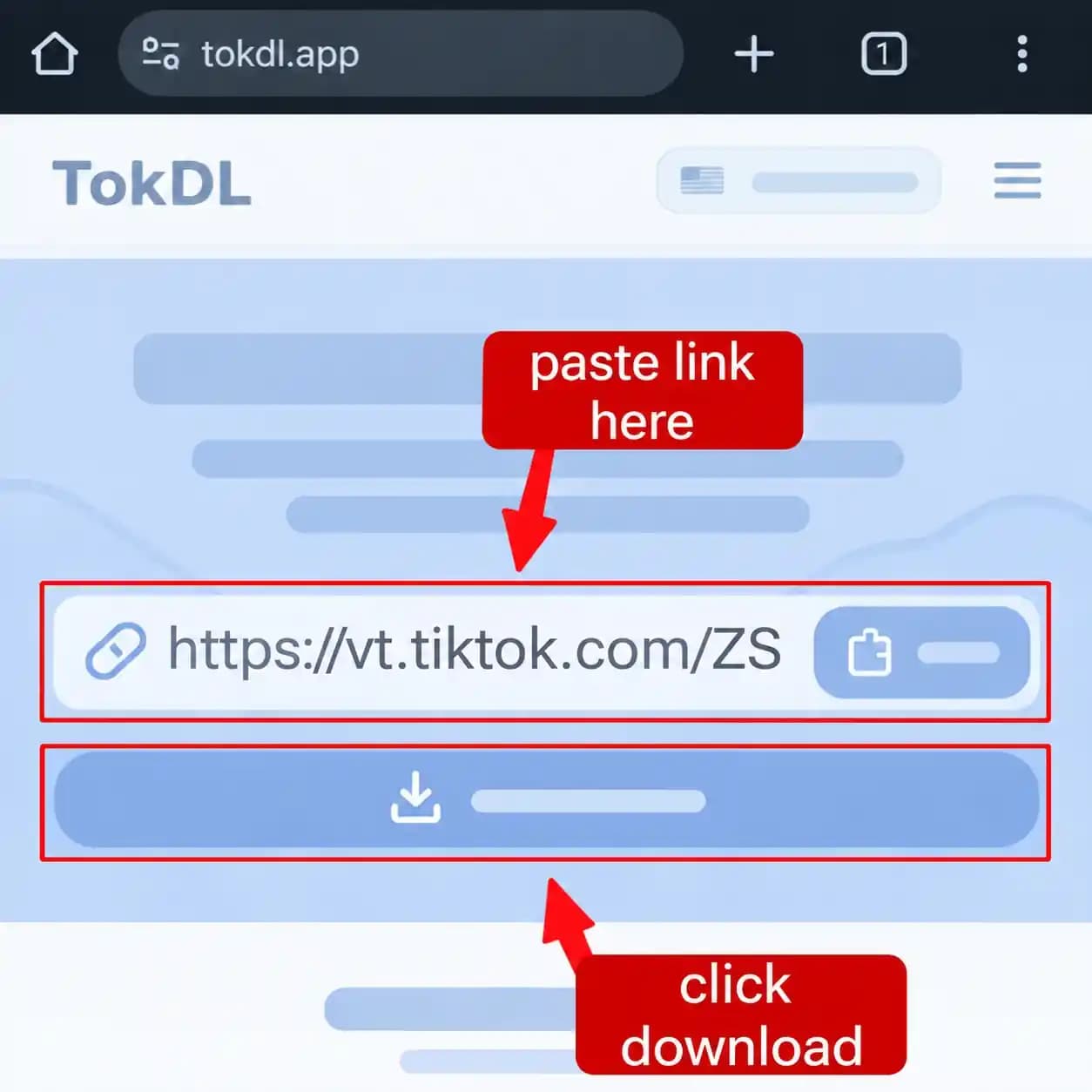
Paste into TokDL.app
Open TokDL.app your browser. Tap the input box, paste your copied TikTok Story link, and press Download.
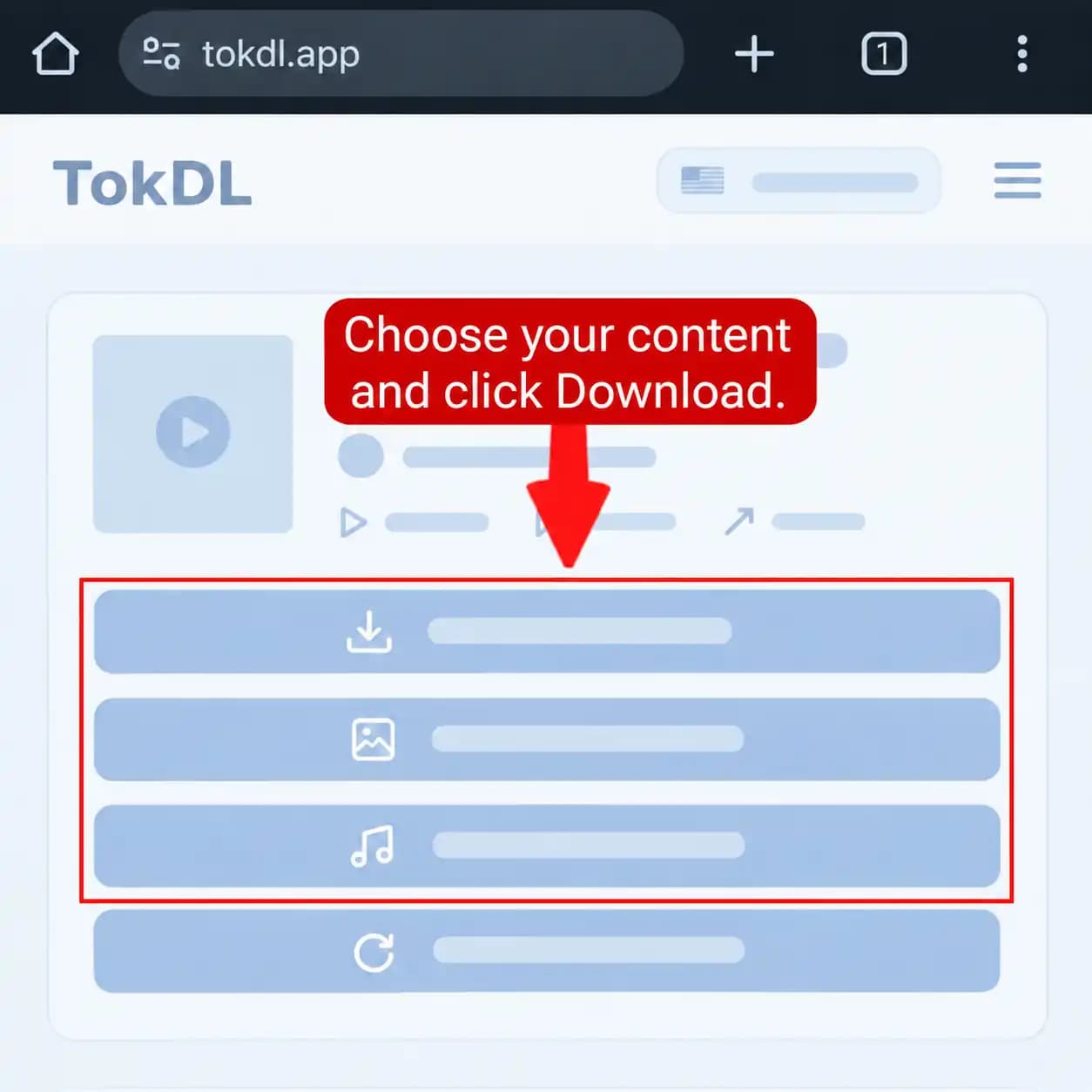
Select & Download
Wait while TokDL processes your link. Preview the available Story, choose a download option, and tap Download file to save it.
TikTok Story Downloader Features
No Watermark
Download supported TikTok Stories without unwanted watermarks or TikTok logo overlays. Choose the available no watermark option to save your favorite Story with a clean and original looking appearance.
Fast Download
Save TikTok Stories through a fast and simple process. Submit your Story URL, let TokDL process the content, and access the available download options without unnecessary step.
Safe and Secure
Use the TikTok Story Downloader without creating an account or sharing your TikTok login details. No password or personal registration information is required to process supported Story link.
All Devices
Download TikTok Stories on iPhone, Android, tablet, laptop, and desktop computer. TokDL work directly through your web browser, so there is no need to install additional apps or software.
HD Quality
Save supported TikTok Stories in the best available video quality. When HD processing is available, choose the original resolution option to enjoy clearer visuals and better playback on your device.
Free to Use
Download TikTok Stories with TokDL without paying subscription fees or purchasing a premium plan. Access the online tool directly from your browser and use its available Story downloading features for free.